How to choose the inputs of a plan
A plan widget gives each parameter of a plan an input chosen by the parameter's annotation, and the input starts from the parameter's default. This guide shows which annotation gives which input.
Prerequisites
You need a plan a presenter offers, as in How to run a plan from a presenter.
Annotate each parameter
The plan widget puts device parameters in the Devices group and the others in Parameters. Each tab shows a signature and the inputs it gets.
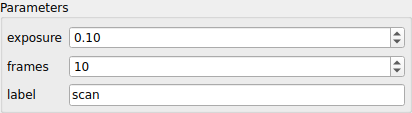
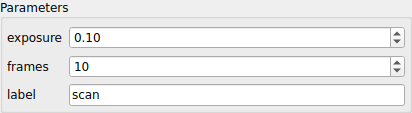
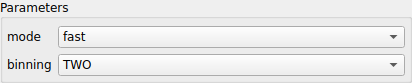
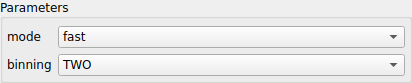
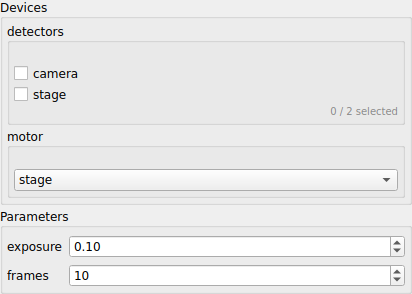
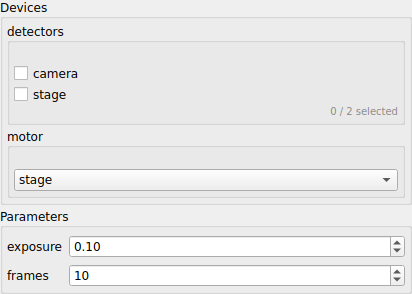
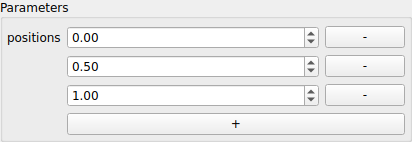
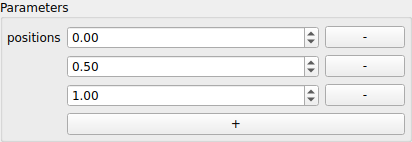


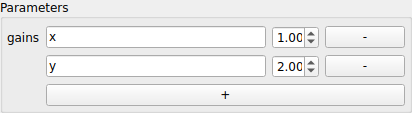
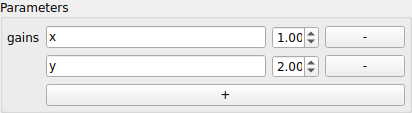
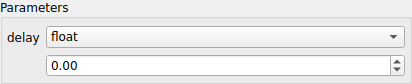
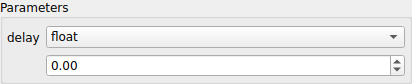
Lists, sets, mappings, fixed-length tuples, optional values and unions nest,
so a dict[str, list[float]] is a table whose values are lists. Every
annotation an input can show, and the shapes it can't, are listed in
How an annotation is read.
Limit the values a parameter takes
Most plan parameters only make sense in a range. A camera can't expose for 0 seconds, and a scan needs at least one frame. Without limits, the plan widget accepts any number, and you find a wrong value only when the plan runs, when the plan raises or a device refuses the value partway through.
To avoid that, write the limits in the plan's signature with
annotated-types. The
plan widget stops each input at its limits, and shows why Run is disabled while
a value is outside them. The presenter checks the same limits, so a plan
started from code gets the same protection:
def expose(
    frames: Annotated[int, Ge(1)] = 1,
    exposure: Annotated[float, Gt(0), Le(10), MultipleOf(0.001)] = 0.1,
    points: Annotated[list[float], MaxLen(3)] = [0.0, 1.0],
) -> MsgGenerator[None]:
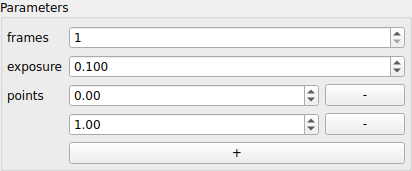
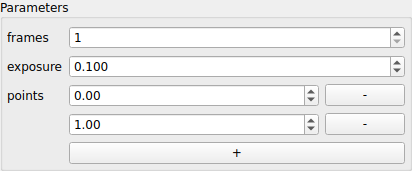
| Limit | What the input does |
|---|---|
Ge, Le, Interval |
the spin box stops at the bound |
Gt, Lt |
for an int, the spin box stops one past the bound; for a float, at the bound, and the bound itself is a problem |
MultipleOf |
the spin box steps by it and shows as many decimals as it needs |
MaxLen, Len |
a list or a mapping stops adding rows at the maximum |
MinLen, a text too long |
a problem |
The limits work inside other types too, so list[Annotated[float, Ge(0)]]
limits every item. A float with no limit can take any value, and an int any
value a 32-bit integer can hold.
A default that breaks its own limits drops the plan
The session leaves the plan out when it builds, and the log says which limit the default breaks. Pick a default inside the limits.
A magicgui option dict in the annotation still shapes the input, for example
{"widget_type": "Slider"}. Where it gives a bound that a limit also gives,
the limit wins.
Leave a parameter out
The plan widget leaves out a parameter no input can show, such as
md: dict[str, Any] | None = None, and the plan keeps its default. Without a
default, create_plan_spec refuses the whole plan with
UnresolvableAnnotationError.
See why Run is disabled
While an input holds a value the plan can't take, such as a repeated mapping
key, a value outside its limits or no device chosen, Run stays disabled and the
first reason shows under the parameters.
PlanWidget.problems lists every
reason.